OCX Element / ActiveX (32-bit): Programming Support
OCX / ActiveX software helps you to interface fast and easily with a PC or industrial PC via RS232 or RS485 serial interface.
This software translates the data to and from the JVL MacTalk protocol so that you don't have to worry about start and stop byte, checksum and retry. By using this software you do not need to understand the JVL protocol but only have to think about what's important for you and that is to send data to the correct motor and register. You just send address, register number and value to a function and the driver see to that start and stop byte, checksum calculation and retransmission is done automatically.
Additional it helps you with automatic calculation from an internal motor unit to eg. RPM and RPM/s². This is very useful when you have more JVL integrated motors like MAC140, MAC800 and MIS232 or the Controller SMC75 on the same serial line.
You can interface to the most common software languages like:
- Visual Basic
- Visual C++
- Visual .Net
- Delphi
- Borland C++ Builder
- LabView
- Excel
Program examples are available for download.
JVL_COM.DLL you can maybe also be an option. Please check here - JVL_COM.dll.
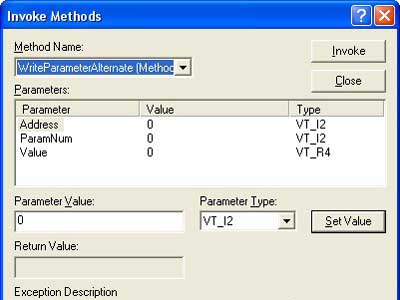
More information about OCX (32-bit) Element / ActiveX
JVL's MacComm OCX* file makes it easy to develop Windows software with JVL's MAC motors.
This OCX can be used with Windows 95, 98, ME, 2000, XP, and makes it easy to communicate with the MAC motor. The OCX enables applications to be easily developed in for example: Visual Basic, Visual C++, Visual .Net, Delphi, Borland C++ Builder, LabView, Excel or any other environment supporting OCX controls.
The OCX makes it easy to send / read register values to / from MAC motor(s). Developers do not have to think about opening and closing the RS232 port. Communication is taken care of entirely by the OCX. The OCX will take care of the special MAC protocol with checksum, inverse byte, register length and register format. You only have to specify a register no. to read from, or a register no. and value to write to. In Visual Basic the OCX only needs to be added to the controls bar, and from there dragged to a window, and it is ready to use.
Besides access to the registers the OCX also has the following features: Reset, Write to flash, and 3 different customisable factors for easy data processing:
- Position
- Acceleration
- Velocity
* MacComm OCX (OLE Custom Controls, also known as ActiveX controls).