MACREGIO - MacTalk Protocol Expert Tool for Programmers
MACREGIO helps programmers work directly with the MacTalk protocol when using a PLC (or other custom master) to send commands to JVL integrated motors.
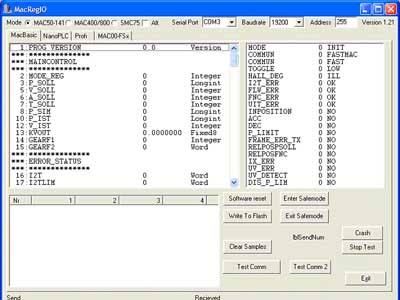
When using a PLC to send commands to integrated motors, data must be formatted in the MacTalk protocol - a binary, message-oriented format rather than ASCII. This means you cannot use a standard Windows terminal editor, and instead need a specialised tool like MACREGIO.
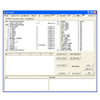
MACREGIO provides a complete overview with register and description for all MAC motors, QuickStep MIS23x and SMC75. You can read register content by pressing R or write a value by pressing W, and see whether each register is a Word, integer or Longint.
For debugging, MACREGIO displays the bytes sent and received byte-by-byte so it is easy to see what should be sent and what to expect as the returned response. This makes implementation straightforward for programmers integrating JVL motors into a custom controller.
Key features
- Complete register overview with descriptions for MAC motors, QuickStep MIS23x and SMC75
- R button reads the current content of a register
- W button writes a value to the register
- Displays each register value with its data type (Word, integer, Longint)
- Byte-by-byte visualisation of sent and received data for protocol debugging